
Quality™
Automatic Calibration and Quality Control
Quality™ module, integrated within Limb Capture
Digitize once, done right. Achieve first-time accurate scans.
Quality™ combines two complementary functionalities: Automated calibration and Image quality control.
Together, these functionalities help optimize image quality, ensure consistency and verify compliance with major digitization standards, including FADGI, ISO 19264-1 and Metamorfoze.
< 5 min
To calibrate your book scanner
3
Major international standards supported: ISO 19264-1, Metamorfoze and Fadgi
6
Quality criteria for precise
image assessment
1
Unique software for calibration & quality control
Why choosing Quality™ Module ?
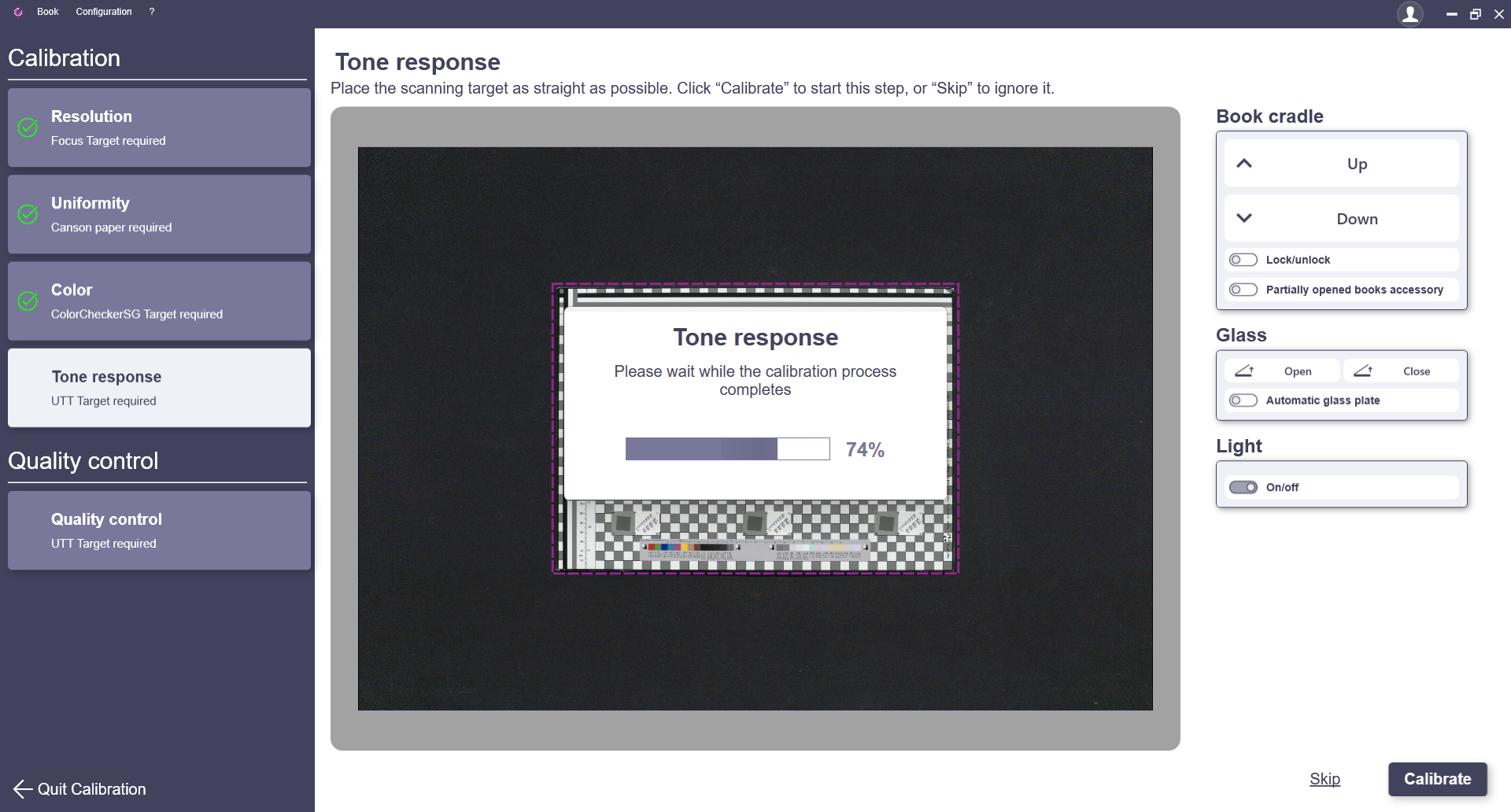
Step-by-step guided calibration
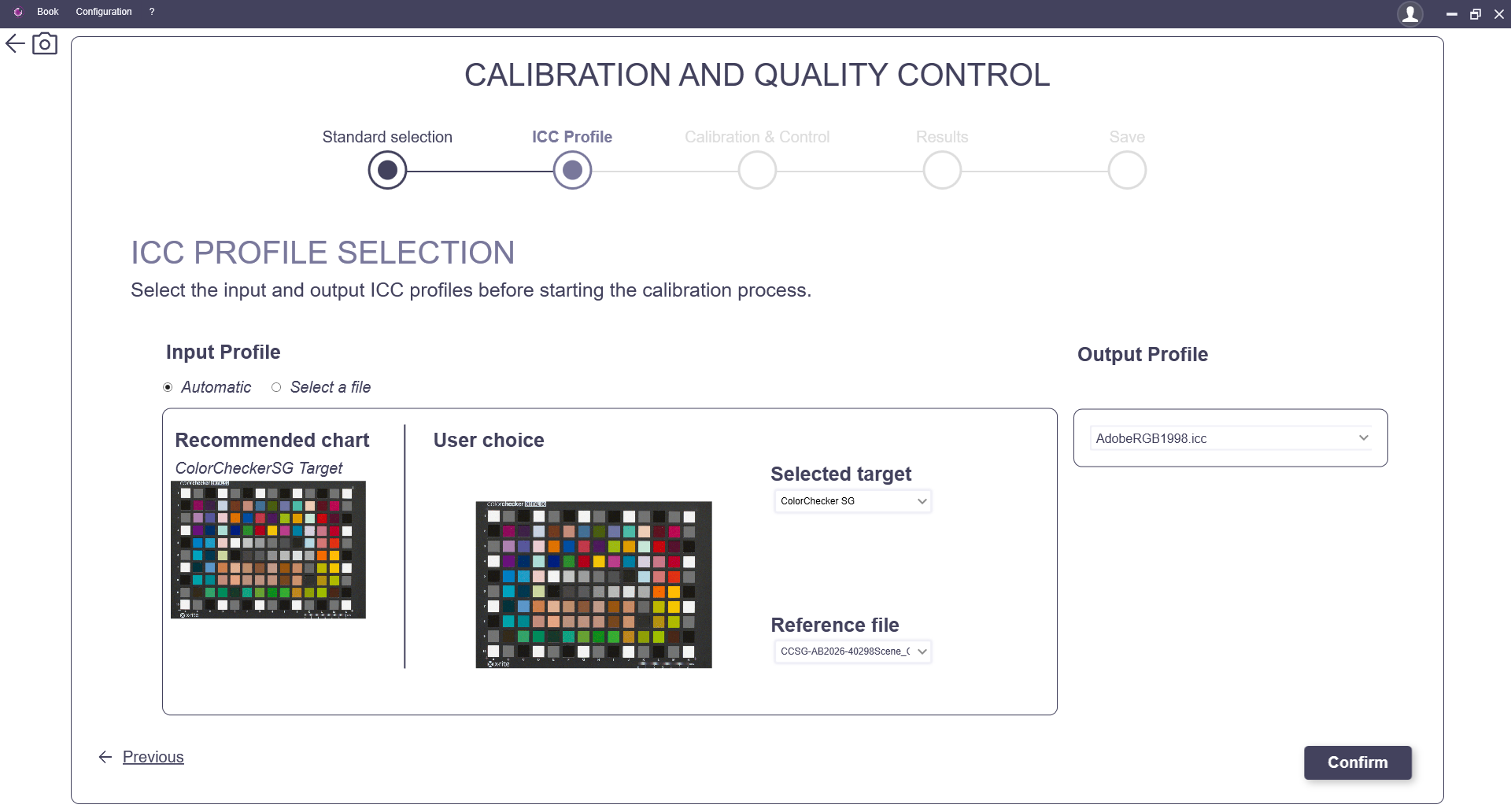
Reliable color management
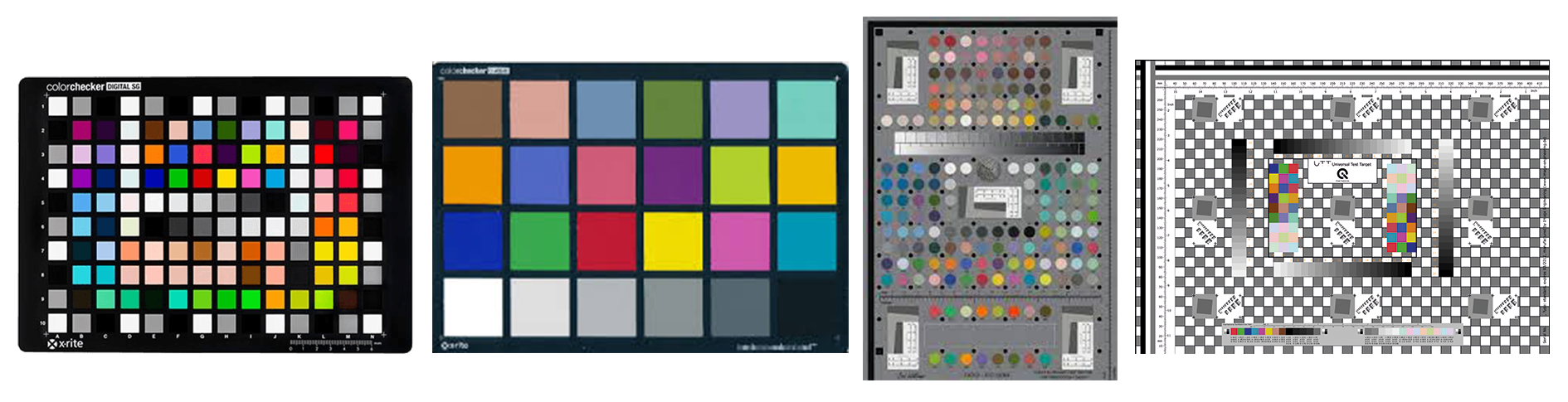
Compatibility with a wide range of test targets
Support for FADGI, Metamorfoze and ISO 19264-1
Discover Quality™ Module
The only solution covering all 6 image quality criteriarequired for standards-based digitization


2. SHARPNESS (MTF)
Accurate reproduction of detail and contrast

3. COLOR ACCURACY
Faithful and consistent color reproduction

4. TONAL RESPONSE
Accurate tonal transitions and grayscale reproduction

5. EXPOSURE
Correct brightness and image density

6. NOISE
Control of unwanted image variations
Complete Control Over Image Quality
For long-term preservation and a more efficient digitization workflow
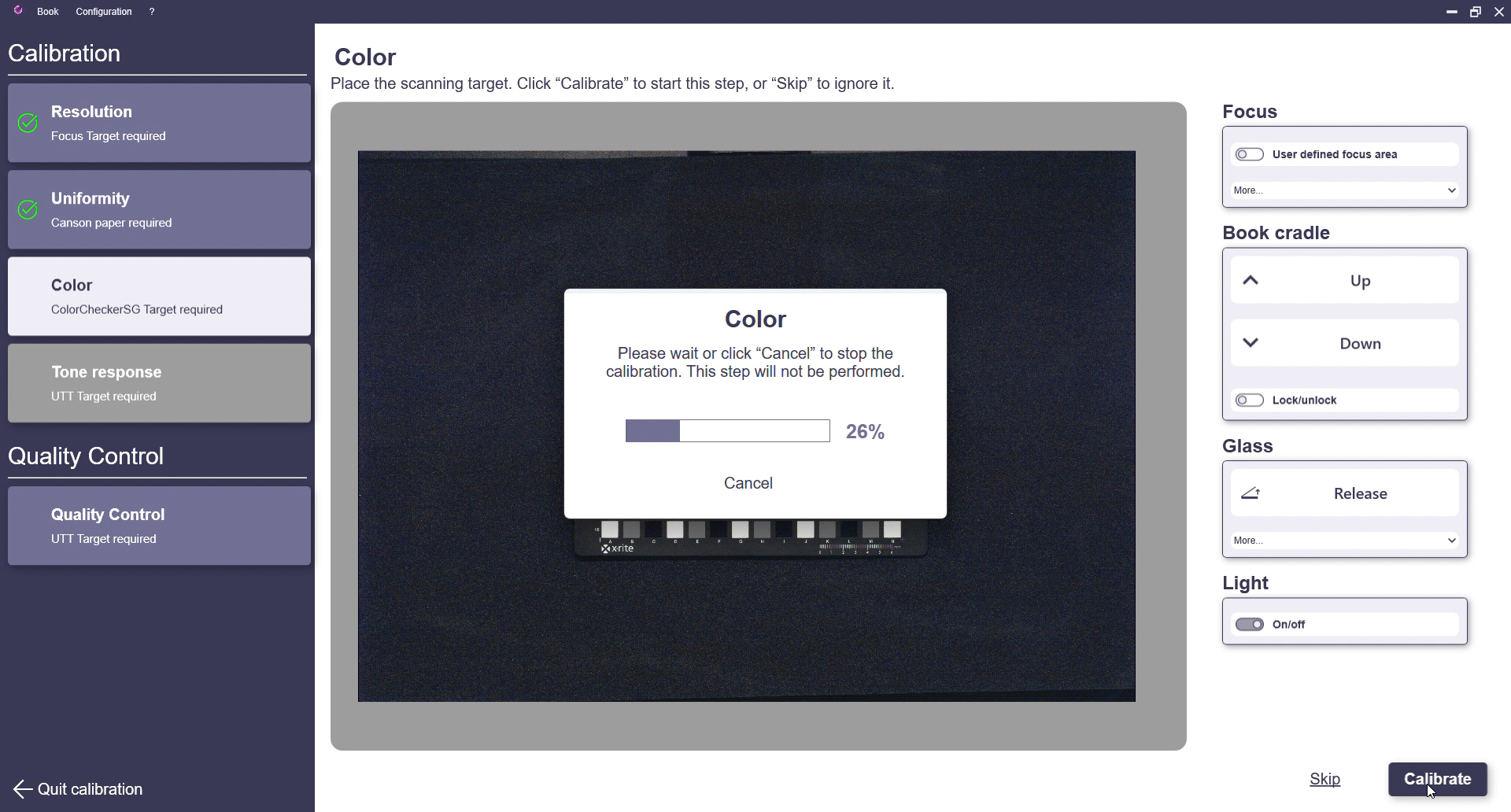
Step-by-step calibration
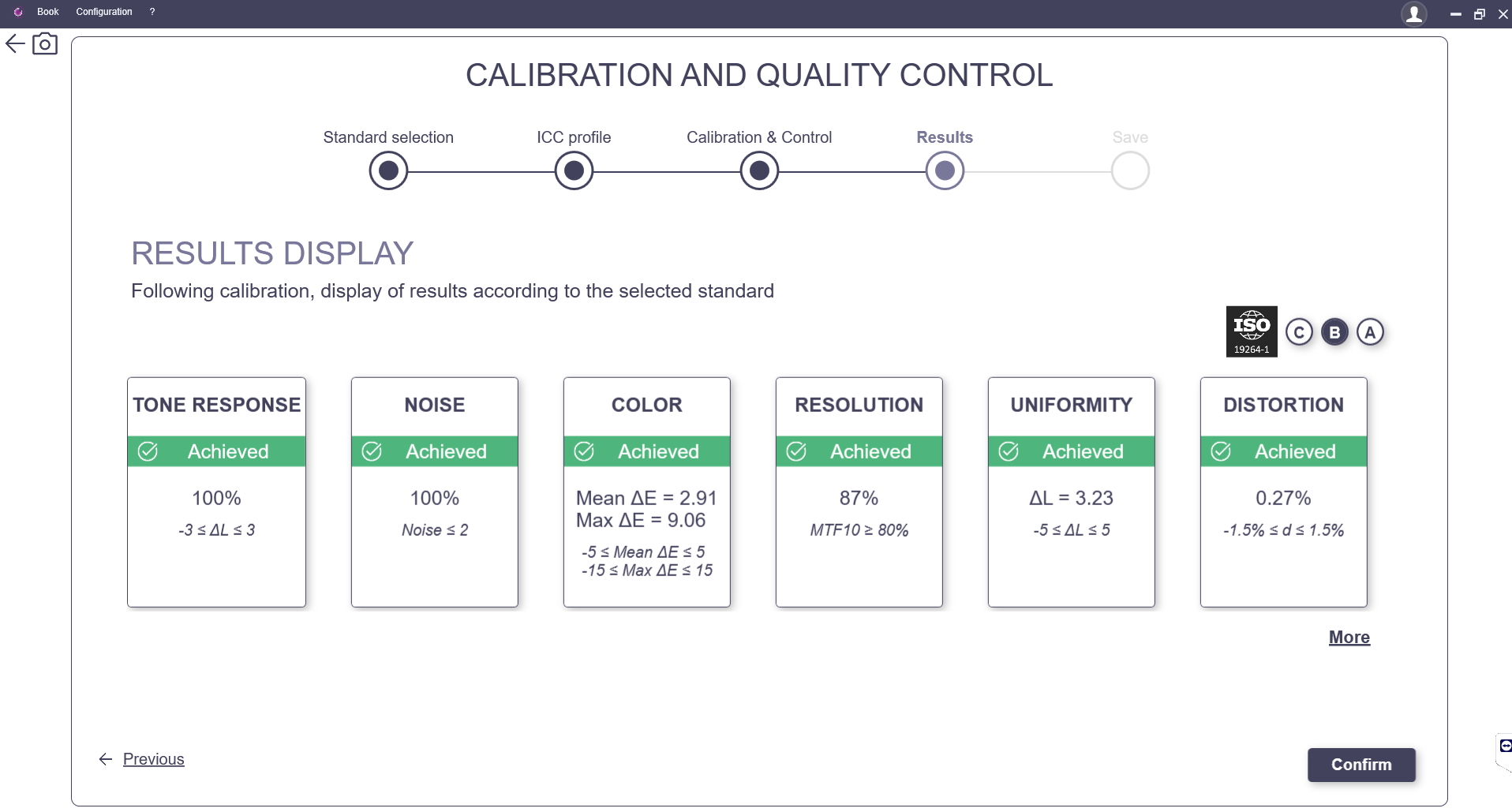
6 key image quality criteria
Check the quality level of the selected standard
Automatic Calibration
Simplify calibration. Improve consistency. Support compliance with major image quality digitization standards.
Achieve reliable image quality in less than 5 minutes with a fully automated, step-by-step guided calibration process, ensuring accurate, consistent and standards-compliant digitization.
- Automated calibration: measures image quality, evaluates results against defined targets based on ISO 19264-1, Metamorfoze and FADGI requirements, and applies the necessary corrections.
- Accurate color reproduction: automatically generates ICC profiles for faithful and consistent color reproduction, without requiring an external software.
- Six key image quality criteria: measures and optimizes resolution, sharpness, color accuracy, exposure, noise and tonal response.
Quality Control
Verify image quality. Measure and document performance. Support compliance.
Quality control objectively assesses digitized images against defined quality targets based on ISO 19264-1, Metamorfoze and FADGI requirements.
It helps users verify image quality, identify deviations and document compliance.
- Clear, objective results: visual graphs and precise numerical measurements make image quality straightforward to assess, interpret and understand.
- Comprehensive quality assessment : evaluate key image quality criteria and identify deviations from predefined quality targets.
Reporting, exportable in PDF format
Generate detailed PDF reports featuring measurement results and an overall compliance summary to support quality assurance and documentation.
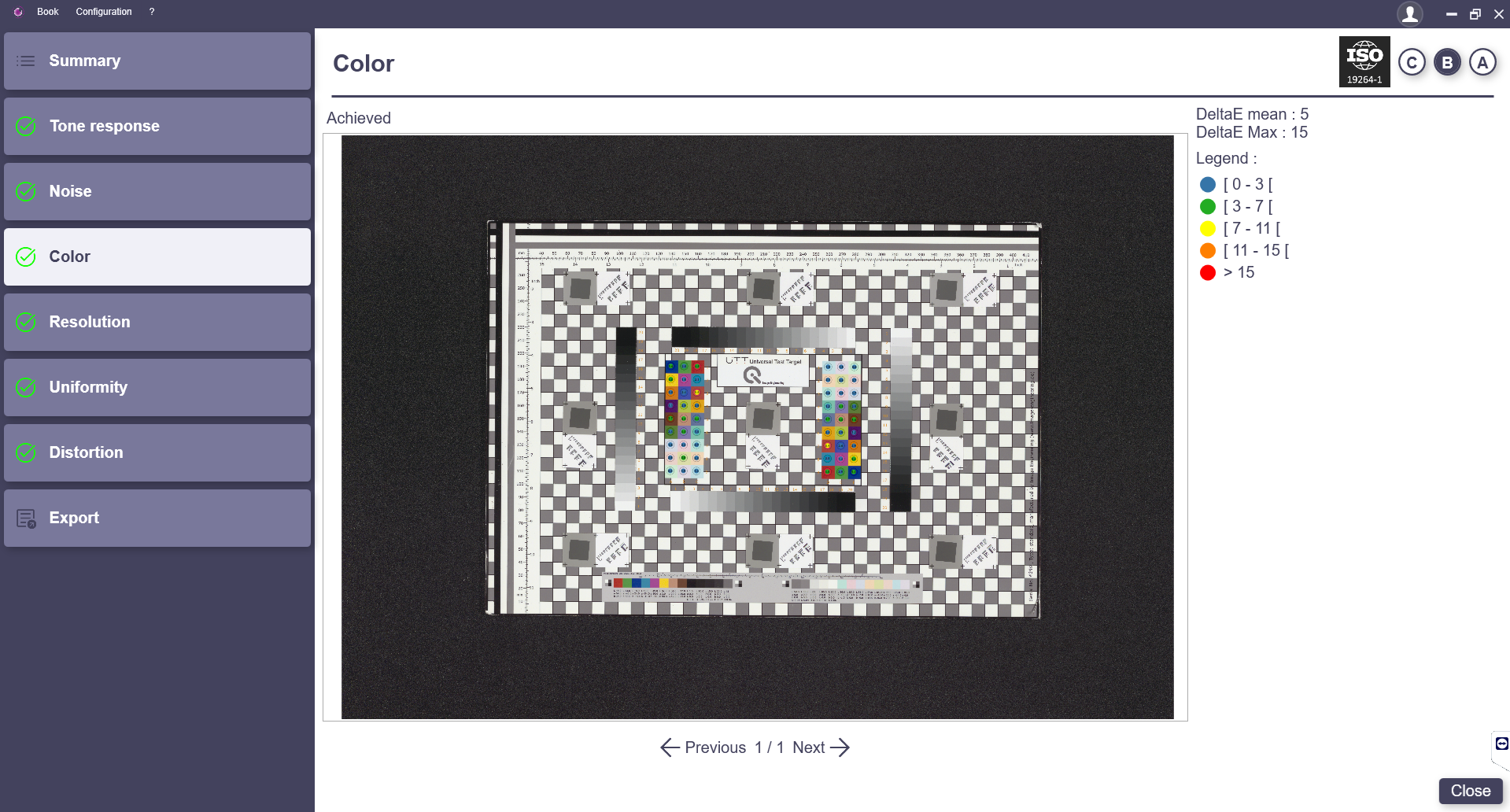
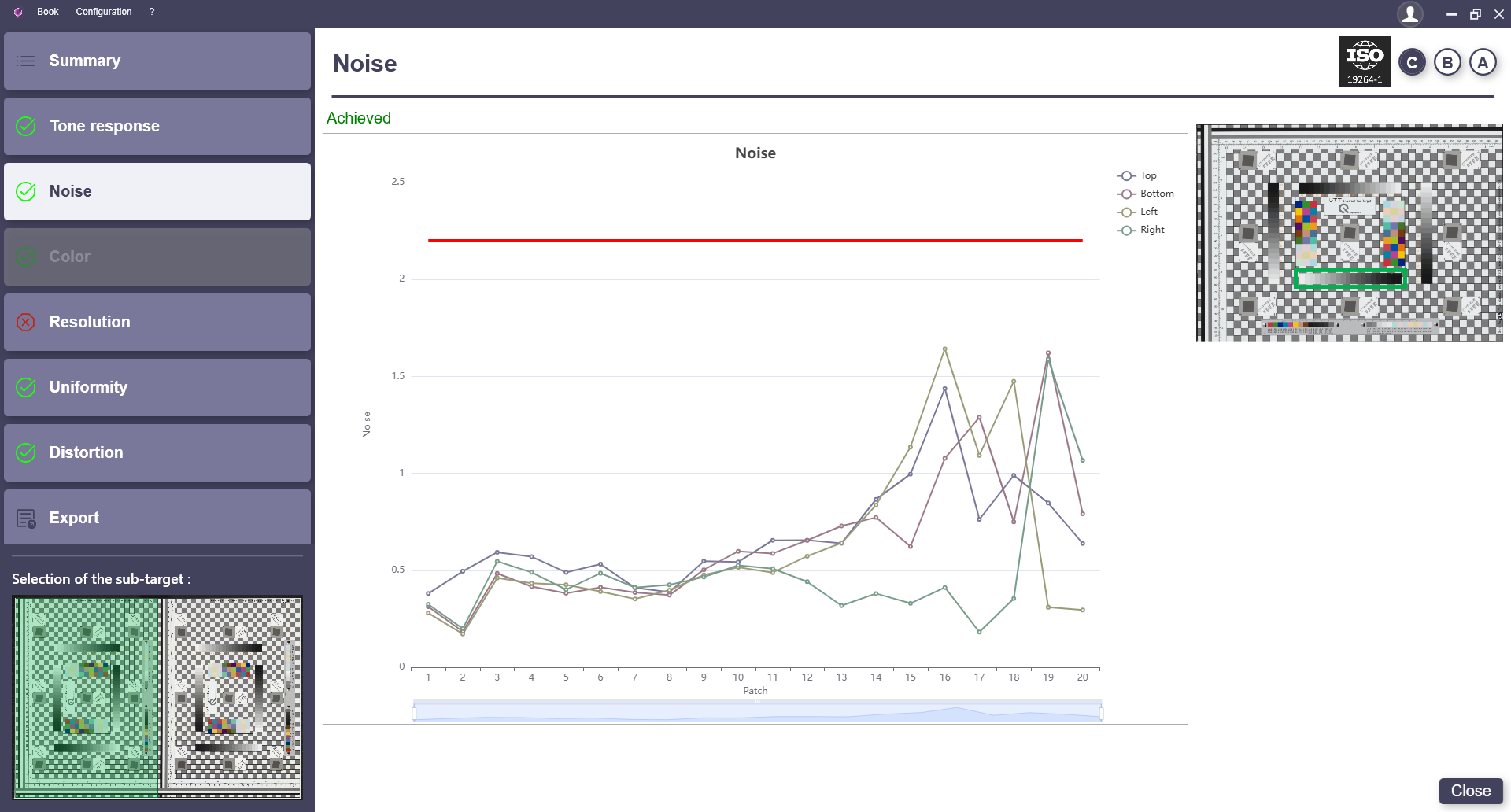
Quality™ module is integrated into Limb Capture software.
This makes automatic calibration and image quality control accessible directly within your scanning workflow, helping you achieve reliable, high-quality images from the start.
Certified by Bureau Veritas
Officially certified by Bureau Veritas, one of the world’s leading certification bodies. This independent certification reinforces confidence in the reliability and quality of the Quality ™ module.
Thanks to Quality™ module,
unlock the full potential of every image with precise calibration
Quality™ optimizes key image quality criteria to deliver accurate, consistent and standards-compliant reproductions.
See how precise calibration improves image quality from the very first scan.
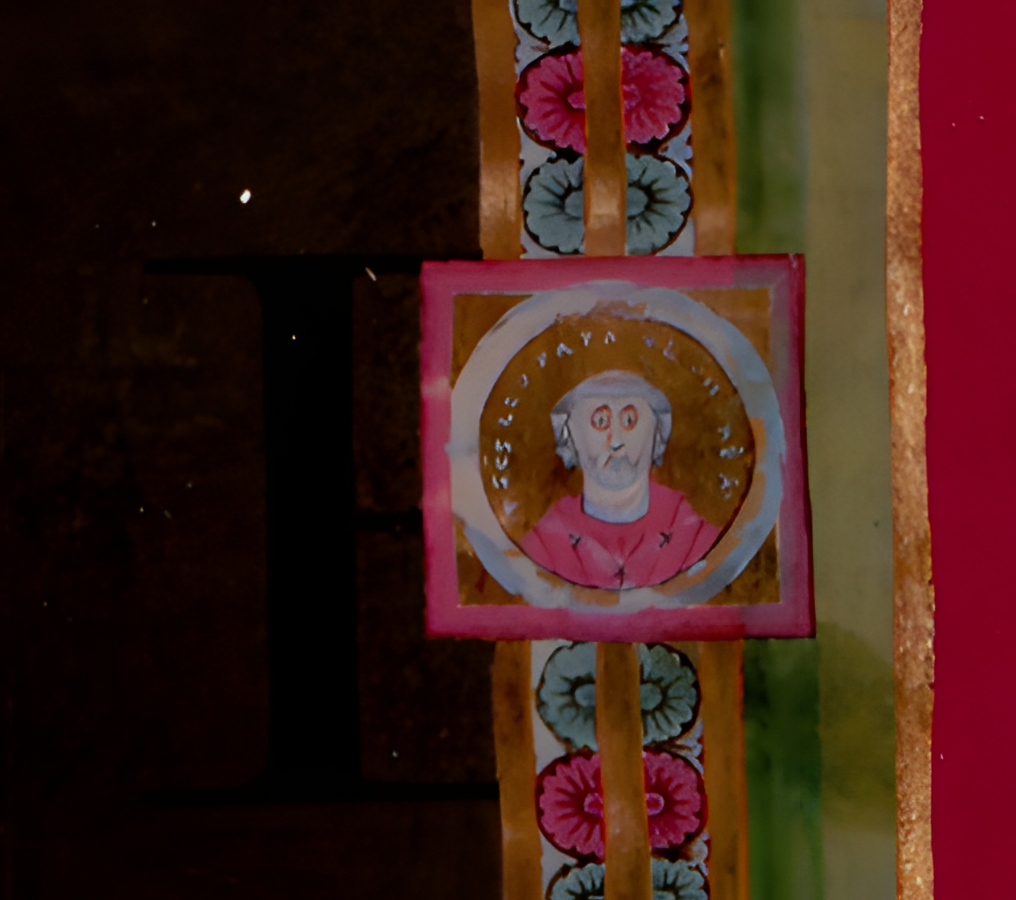
Before calibration
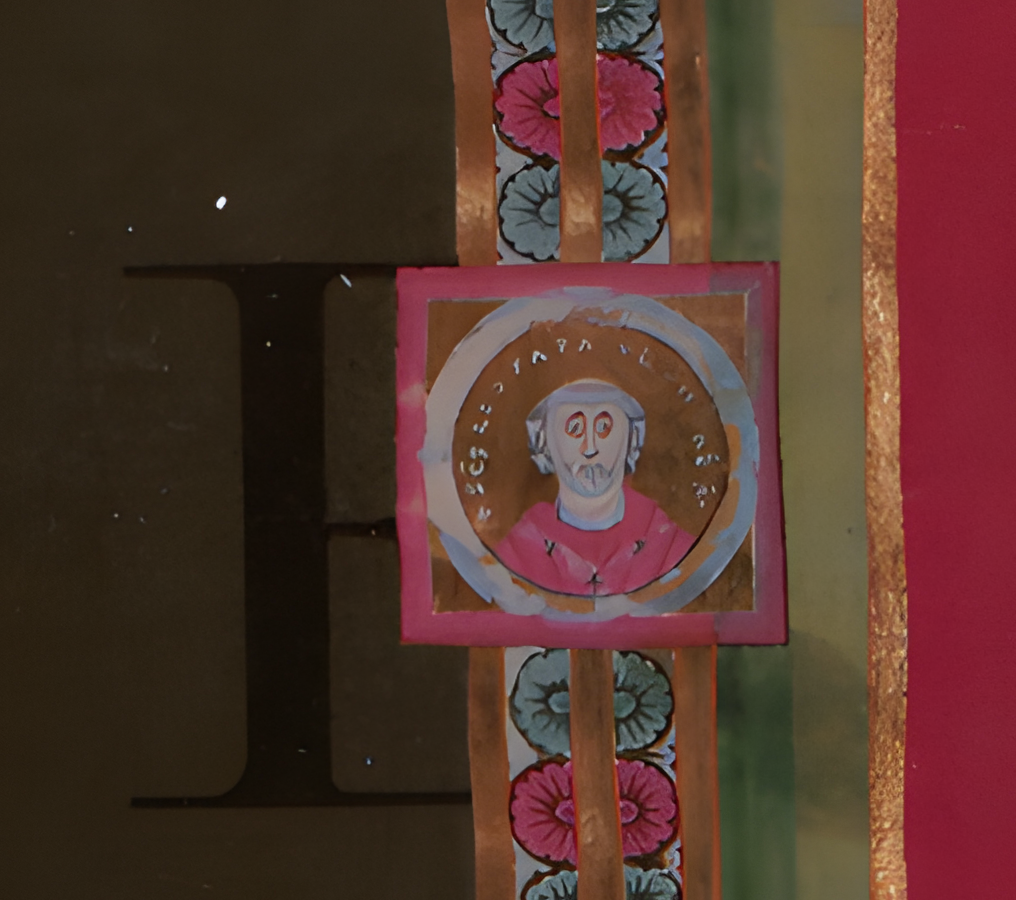
After calibration
Before calibration
After calibration
Frequently Asked Questions
Can I use Quality without a Digibook scanner?
No. Quality™ is part of LIMB Capture, which is exclusively available with Digibook scanners. Therefore, you need a Digibook scanner to access and use the Quality™ module.
I already use Capture software. Do I automatically have the Quality™ module?
Not necessarily. If you are using the latest version of Capture, you may be eligible for a free 30-day trial of the Quality™ module. Make sure your software is up to date to access the trial.
After the 30-day trial period, Quality™ requires a paid license to continue using its features.
Why is it so important to use all six image quality criteria?
Each criterion evaluates a different aspect of image quality. While some focus on detail and sharpness, others assess color accuracy, exposure and tonal consistency.
Using all six criteria provides a comprehensive assessment of your digitized images, helping you identify potential issues and ensure that your scans meet the required quality standards.
What are the three image quality measurement standards used for?
The three standards FADGI, ISO 19264 and Metamorfoze, provide internationally recognized guidelines for assessing digital image quality.
Each standard defines specific quality requirements and measurement methods to ensure that digitized images meet consistent and measurable quality levels.
They help digitization professionals:
-
Assess image quality: Evaluate whether scanned images meet the required technical specifications.
-
Ensure compliance: Meet the quality requirements of institutions, archives and cultural heritage organizations.
-
Guarantee consistency: Maintain reliable and reproducible image quality throughout a digitization project.
Quality™ integrates these standards to help users calibrate their scanners and monitor image quality according to their chosen requirements.